
What is Email Encryption? A Comprehensive Guide for Beginners
Introduction
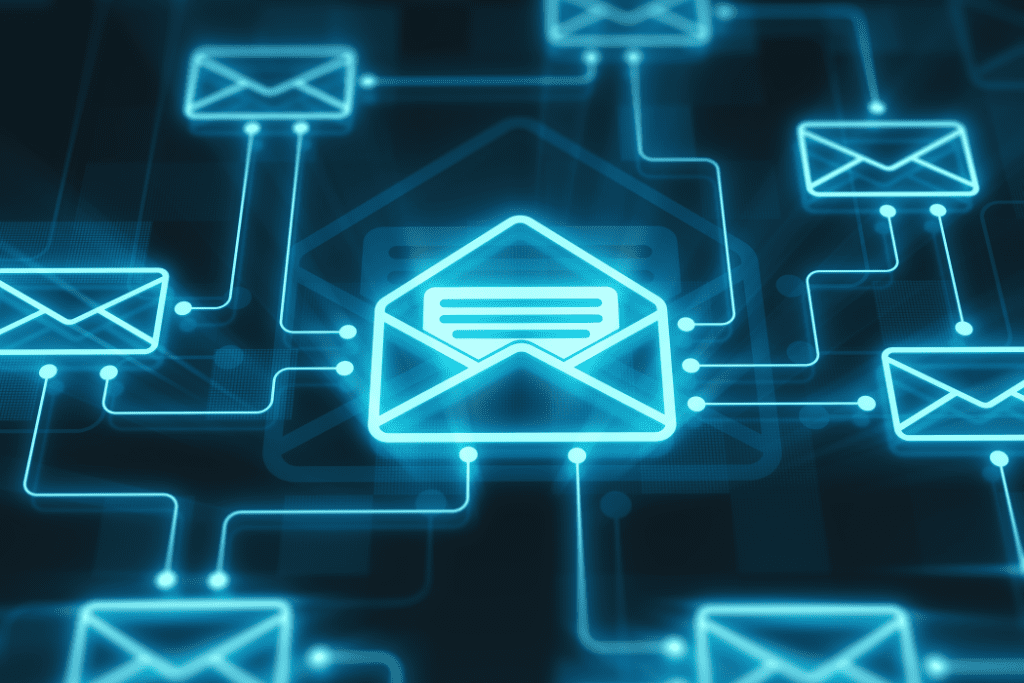
Email is an essential communication and collaboration tool for both personal and professional users. However, the convenience of a universal communication protocol like email comes with significant security risks. Cyberattacks targeting email systems are common, often resulting in data breaches, financial losses, compromised credentials, and exposed personal or sensitive information. That’s why email encryption is crucial.
This guide will explain email encryption and its importance, benefits, challenges, types, and best practices. After reading this article you should understand how email encryption works, and how it can protect your communications and enhance overall security.
What is email encryption?
Email encryption solutions like Seclore Secure Email encrypt the content of an email to ensure that only intended recipients can read it. These solutions generally encrypt both the message and attachments.
Encrypting an email converts plain text into ciphertext, which can only be decrypted using the recipient’s private key.
The importance of email encryption
An email attack or compromise often precedes most large-scale breaches. While phishing and malware distribution are significant threats associated with inbound email attacks, it’s important to note that encryption primarily secures the content of emails during transmission and does little to prevent these types of inbound threats.
Instead, email cybersecurity should focus on countering threats such as Business Email Compromise (BEC), account hijacking, and related attempts by cybercriminals. These are scenarios where encryption can play a crucial role in enhancing email security by ensuring that sensitive information remains confidential and exclusively accessible by intended recipients, thereby safeguarding against unauthorized access and interception.
The benefits of email encryption
- Confidentiality: Ensures that emails and attachments remain private.
- Data Integrity: Prevent emails from being altered in transit.
- Authentication: Verify the recipient’s identity before they can access an email.
- Regulatory Compliance: Comply with data protection and privacy regulations.
- Trust: Enhance trust in digital communications by ensuring secure messages.
Best practices for email encryption
- Use End-to-End Encryption: Ensure that emails are encrypted from the sender to the recipient.
- Implement Strong Authentication Methods: Use multifactor authentication to secure email accounts.
- Educate Users: Train employees to recognize secure email practices.
- Apply Regular Updates: Keep email encryption software up to date.
- Use Encrypted Email Services: Consider using services with built-in encryption, such as Gmail and Outlook.
The challenges of email encryption
- User Adoption: Getting employees to use encryption consistently can be met with resistance.
- Compatibility Issues: Some email clients may be incompatible or not support specific encryption methods.
- Key Management: Distributing and managing encryption keys can be challenging.
- Performance Impact: Encryption can delay email delivery and increase file size.
- Cost: Implementing enterprise-level email encryption solutions can be expensive.
The four types of email encryption
- Transport Layer Security (TLS): Encrypts the connection between email servers.
- Pretty Good Privacy (PGP): Uses a combination of symmetric and asymmetric encryption.
- S/MIME (Secure/Multipurpose Internet Mail Extensions): Uses certificates for email encryption and digital signatures.
- End-to-End Encryption: Encrypts emails from the sender to the recipient without intermediate decryption.
Email encryption service providers
- Gmail: Offers built-in TLS encryption and supports additional encryption protocols.
- Outlook: Supports S/MIME for secure email communication.
- Office 365: Microsoft’s suite provides various encryption options, including TLS and end-to-end encryption.
- Encrypted Email Services: Specialized providers that offer enhanced encryption features, such as ProtonMail.
How to configure email encryption
- SSL/TLS: Ensure your email provider supports SSL/TLS for encrypting email messages in transit.
- PGP and S/MIME: Install the necessary plugins and configure your email client to use PGP or S/MIME.
- Public Key Infrastructure (PKI): Use a certificate authority to issue and manage digital certificates for encryption and authentication.
Best practices for secure email
- Regularly Update Software: Ensure your email client and encryption tools are up-to-date.
- Use Strong Passwords and Multifactor Authentication: Secure your email accounts with strong passwords and additional authentication methods.
- Educate Users: Training employees on effectively using security tools can provide a more comprehensive defense against cyber threats, equipping them with the skills to recognize cyber attacks and leverage technology to protect against them actively.
Email Encryption FAQs
What is email encryption?
Email encryption scrambles the content of your emails, making them unreadable to anyone except the intended recipients. It’s like locking your message with a set of keys that only the sender and recipients have.
Why is email encryption necessary?
Email is a common target for cyberattacks. Encryption protects your emails from being intercepted by hackers or prying eyes, ensuring the confidentiality of sensitive information.
What are the benefits of email encryption?
- Confidentiality: Only recipients with valid decryption keys can read the email content.
- Data Integrity: Encryption prevents your emails from being altered in transit.
- Authentication: Some encryption methods verify the sender’s identity, reducing the risk of email spoofing.
- Compliance: Encryption helps organizations meet data privacy and industry-specific regulations.
What are the challenges of email encryption?
- User Adoption: Encouraging consistent use of encryption by both senders and recipients can be challenging.
- Compatibility: Different email clients might not always work seamlessly with specific encryption methods.
- Key Management: Securely distributing, managing, and rotating encryption keys requires careful planning.
What are the different types of encryption protocols?
- TLS/SSL: This standard encrypts the connection between email servers, securing emails in transit. Most email providers offer TLS/SSL by default.
- PGP (Pretty Good Privacy): PGP uses a combination of symmetric and asymmetric encryption. It requires both sender and recipient to install PGP software and share keys beforehand.
- S/MIME (Secure/Multipurpose Internet Mail Extensions): Like PGP, S/MIME relies on digital certificates for encryption and authentication. It requires a certificate authority to issue and manage certificates.
- End-to-End Encryption: This method encrypts emails from the sender’s device to the recipient’s device, ensuring no intermediate decryption. Popular services like ProtonMail offer end-to-end encryption.
What email services offer encryption?
Many email providers, like Gmail and Outlook, offer built-in TLS encryption. You can also configure them for additional methods like PGP or S/MIME. Secure email providers like Seclore offer built-in end-to-end encryption for enhanced security.
Conclusion
Email encryption is vital for safeguarding sensitive data in our digital world. It ensures confidentiality and security, protecting your email communications from unauthorized access and cyber threats.
Despite challenges like user adoption and compatibility, the benefits of confidentiality, data integrity, authentication, and regulatory compliance highlight the importance of email encryption. Implementing best practices, such as end-to-end encryption and strong authentication, is essential as cyber threats evolve.
See how Seclore can transform your email security strategy. Schedule a demo today to see our solution in action.
What is Information Security? Resources

Ready to get started?
Contact our sales team to find out how Seclore can help with data security and compliance.
- Product
- Support
- About
- Regulations


